Beta We are beta testing now, and open for business soon.
Sound Onion: Serious acoustic analysis, for thousands of recordings.
Open any moment of any recording, hear it as it was recorded, measure it and annotate it as a team, in your browser — across terabytes of audio, read where it is stored.
Everything a review needs, in your browser

See it
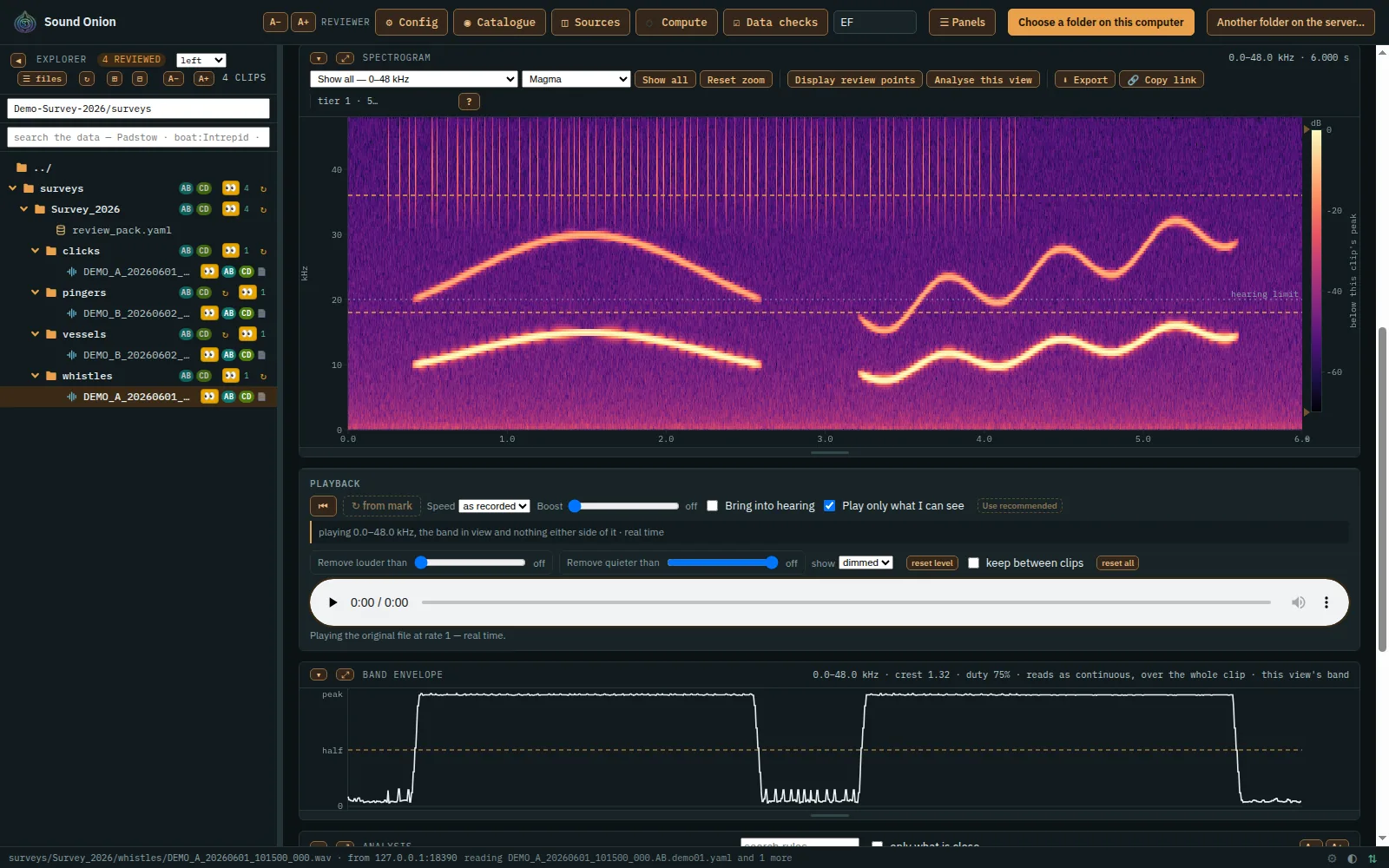
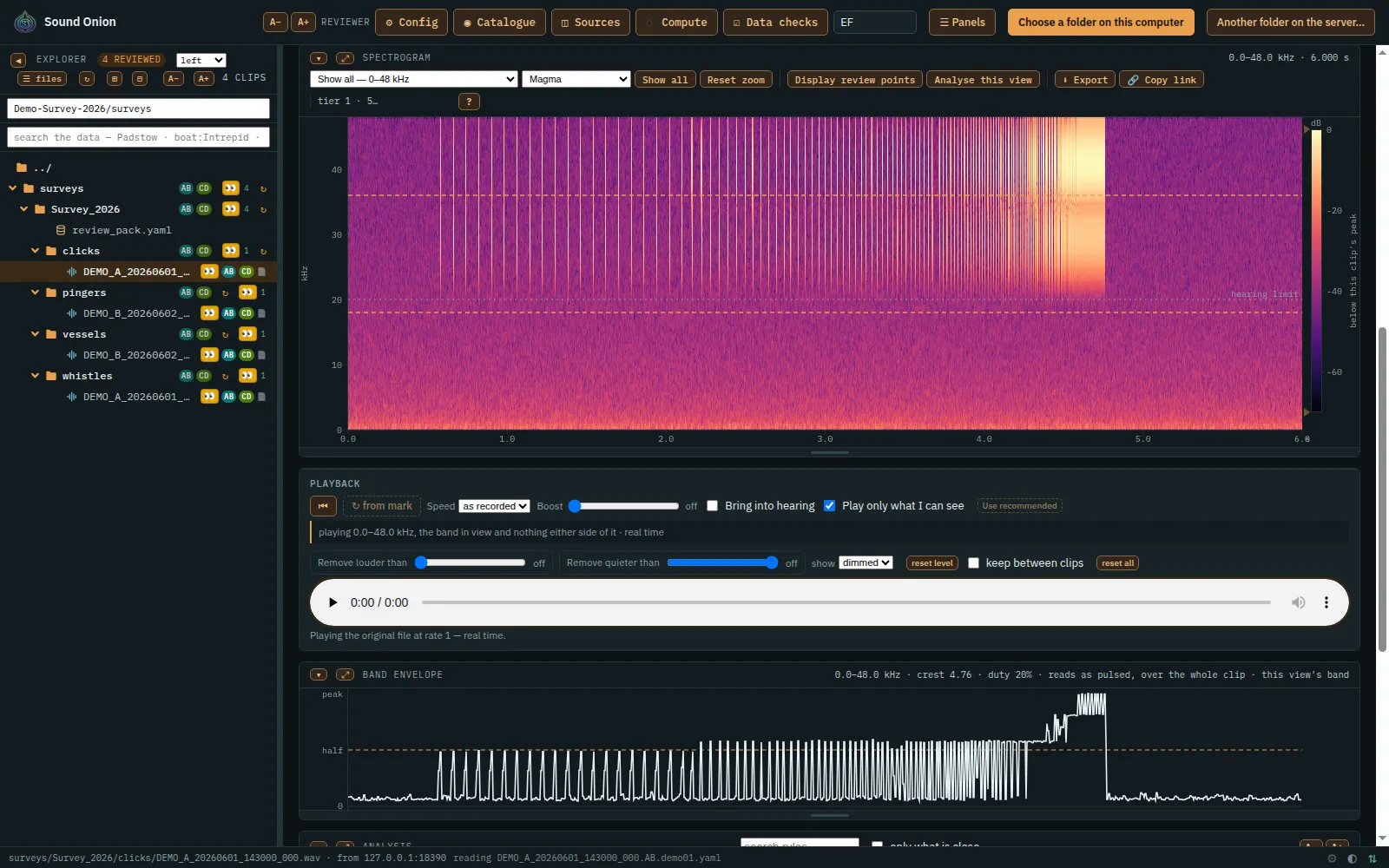
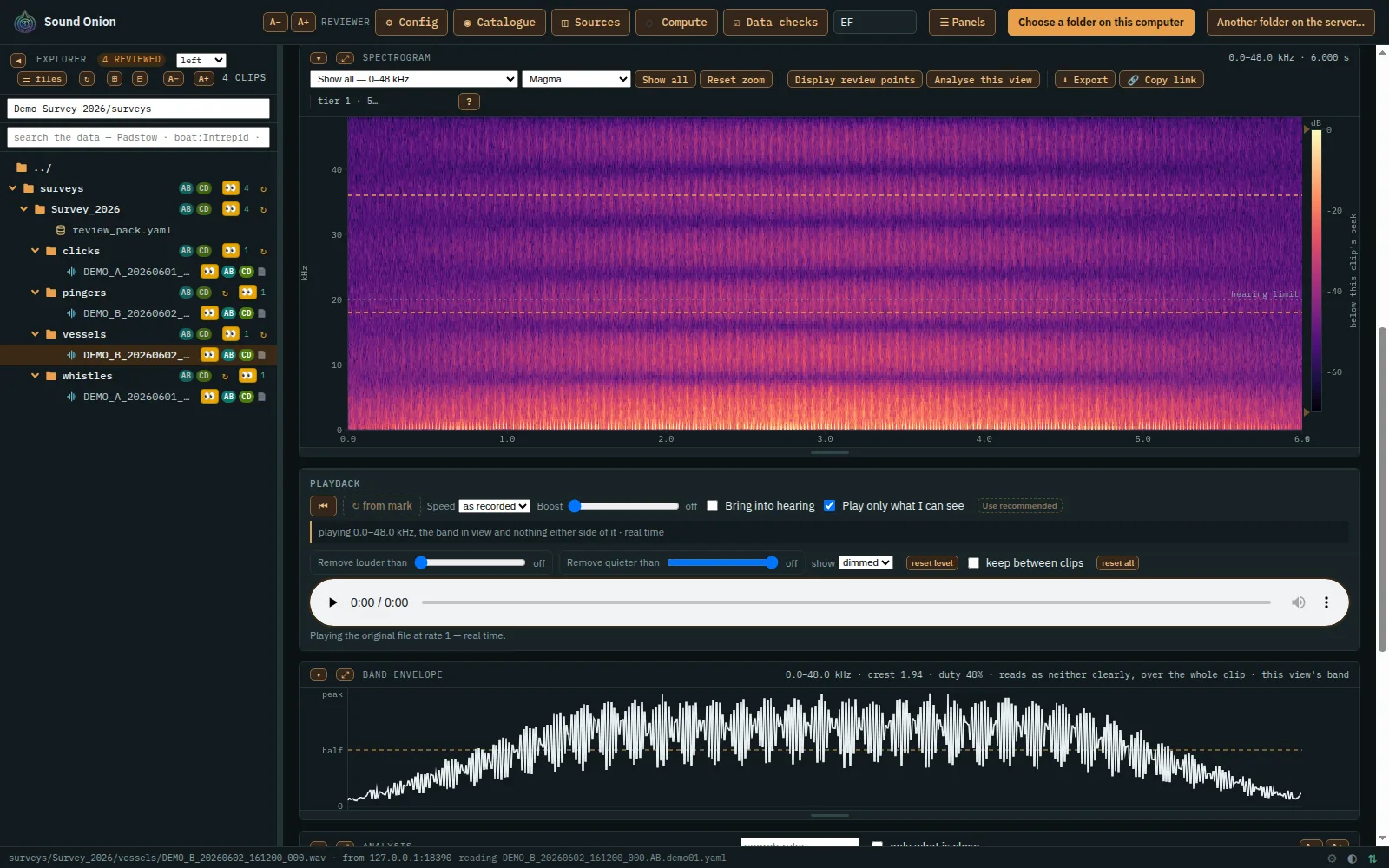
Zoom from a whole recording down to a single call. Drag a ceiling down the decibel scale to take off the loud sounds; what is left is coloured again, so the quiet ones stand out.
Hear it
Play the original samples slowed down, or shifted down into hearing as a bat detector does, filtered to the band on screen.
Measure it
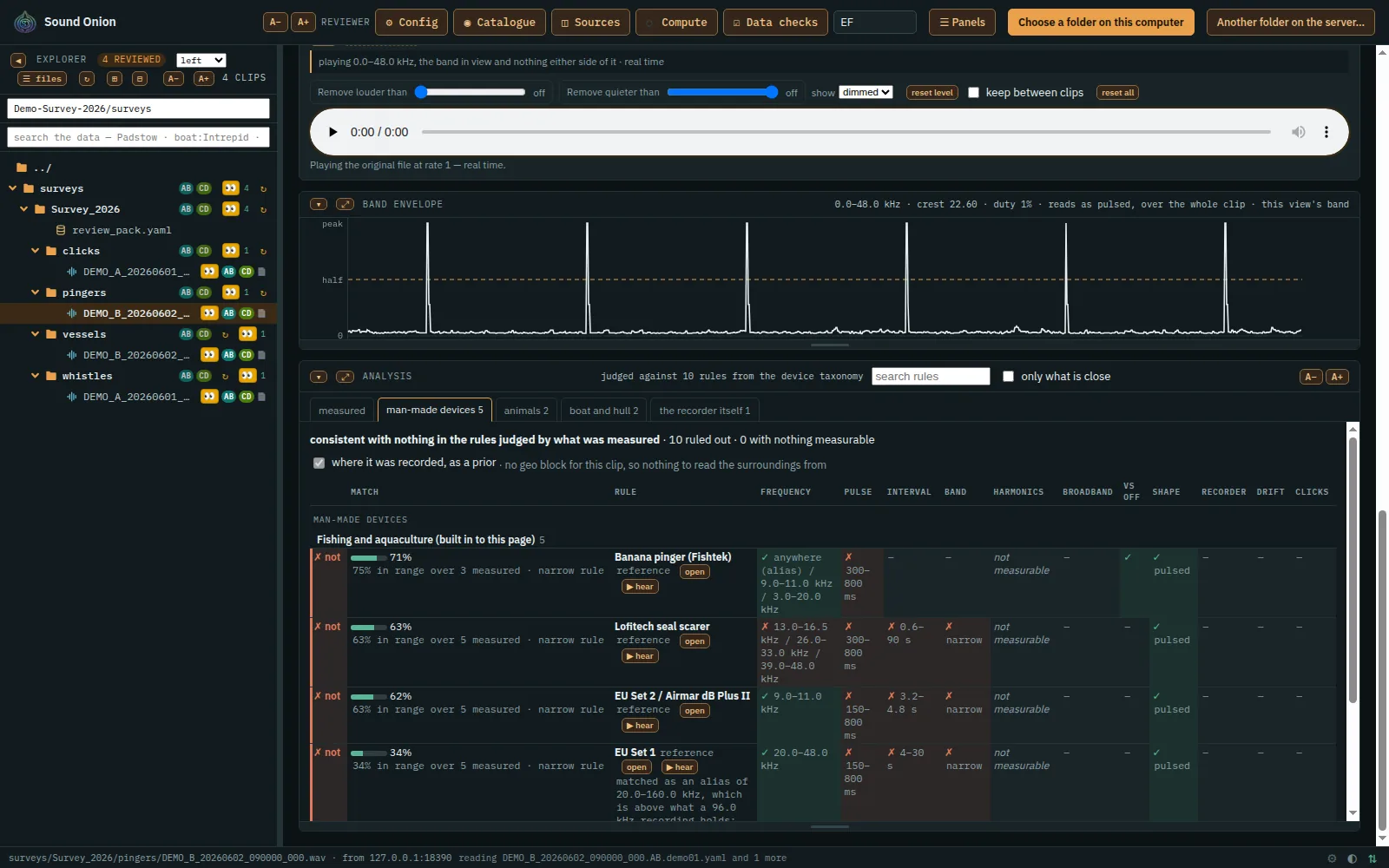
Measure a sound's band, pulses and their spacing, and see how closely it matches each animal and device in the catalogue, as a percentage.
Annotate it
Box a sound and say what it is. Each reviewer's answers are plain files beside the audio, and their earlier answers are kept.
Your other data
Positions, sensor readings and samples taken at the same time: we join them onto each recording.
Filter by level
As it plays, take out what is louder or quieter than a level you set, frequency by frequency.
Export
Save any view as a PNG, and up to ten minutes of any sound as a WAV, exactly as you heard it.
Any WAV
8, 16, 24 and 32-bit integer or 32-bit float, at any sample rate.
Cross-reference
Join your data sets with each other and with public data sets, each listed with its licence.
On the map
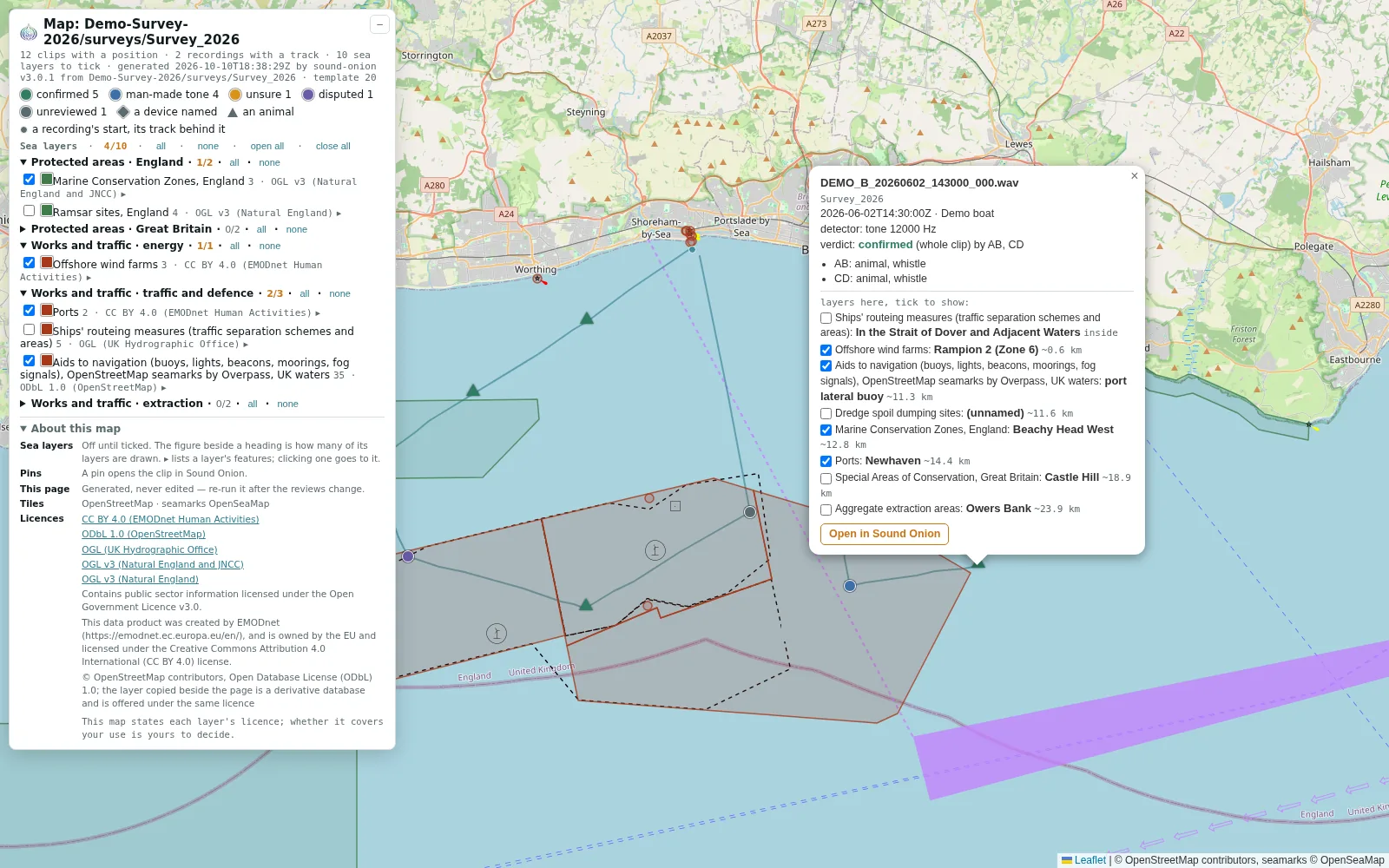
Every clip with a position as a pin on a map, coloured by its verdict, beside the track it was recorded along.
Every recording where it was made
See each clip where it was recorded, what your reviewers found there, and what lies around it.
Pins by verdict
Every clip with a position is a pin, coloured by what its reviewers decided; open one to hear it.
The tracks
The route each recording was made along, from the boat's own position fixes.
What lies around
Protected areas, wind farms, ports and seamarks, from the data sets chosen for your site, each with its licence.
One platform for every field that listens
Built first for underwater bioacoustics, where we are today. Sound Onion shows any sound as a picture you can hear and measure, so the same tools carry across; these are the fields we are taking it into next.
- Where we are today
Marine and underwater bioacoustics
Months of hydrophone recordings: whales, dolphins and seals picked out from pingers, boats and the sea's own noise.
- Next
Wildlife, ornithology and environmental monitoring
Dawn choruses and bat passes: ultrasound slowed down or shifted into hearing, each call measured, each reviewer's answer kept.
- Next
Machine-condition monitoring
Bearings, gearboxes and pumps: measure their tones and harmonics, time their pulses, and have your team review every recording.
- Next
Automotive noise, vibration and harshness
Run-ups and road tests: harmonics show as lines across the spectrogram; pick out a whine by its band and play it on its own.
- Next
Building acoustics
Building services noise, impacts and sound through walls: pick out any band by eye and ear, and save it as a picture and a clip for the report.
- Next
Audio forensics and security acoustics
Mark every event in time and frequency, hear it on its own, export it exactly as heard, and keep each reviewer's answers in their own files.
Defined formats. Your own scripts.
Every recording's details, every detection, every review and every correction is a plain, documented file beside the audio, with a version number. Write your own scripts against them and analyse everything in Sound Onion, at any scale. Nothing is locked in.
Your own detector
If your detector or model writes its results in our documented format, your team reviews them in Sound Onion exactly as it reviews ours.
Your own data
Your WAVs stay in your folders, named as you named them; the files Sound Onion adds sit beside them.
The analyser, open
Acoustic Analyzer, our analyser, will be released as open source under the Apache 2.0 licence.
Your recordings, in storage you reach directly
Your recordings sit in your own storage area, which you reach directly over SFTP, SSHFS, SMB or WebDAV: upload to it, mount it as a drive, and run your own scripts over everything in it.
Lossless
You hear and measure the original file, never a compressed copy.
Only what you look at
Analyse reads only the seconds on screen: five seconds of a 460 MB recording is about 2.5 MB.
Read in place
Sound Onion reads your recordings where they are stored and writes its own files beside them.
Behind your login
Your copy of Sound Onion sits on your own storage and is reached only through its login.
How it works
Today, in beta: we set up your storage and your copy of Sound Onion with you, and agree the price with you.
When we open, in four steps: you choose your site's computing power and storage, or run it on your own machine.
1 · A login
Create your own login.
2 · A site
Create your site, at name.sound-onion.com, and add your team to it.
3 · Its compute
Choose how much computing power it has; grow or shrink it as your work changes.
4 · Its storage
Choose how much space it has; grow or shrink it as your recordings do.
Or, when we open, your own machine: run our agent on the computer that holds your recordings, and your site uses that machine's computing power and storage instead.
How it worksDeveloped in collaboration with


We work with our users to expand Sound Onion as their research grows: a working partnership, not only a licence.
Our partnersTalk to us
We are beta testing now and will open for business soon. Tell us what you record and how much of it there is: we will show you your own data in Sound Onion, and you will be among the first.
accounts@sound-onion.com